Dreame L10 Pro - vaccum robot fan problem, blown fuse
Posted on Mon 16 March 2026 in Naprawa
• [2 min read]
Posting this in case it helps others.
My Dreame L10 Pro robot started its cleaning sequence and suddenly stopped with the message: "fan speed abnormal".
Every attempt to start it ended right after positioning, before the main fan was turned on.
Even after replacing the fan with a new one, the error was still there.
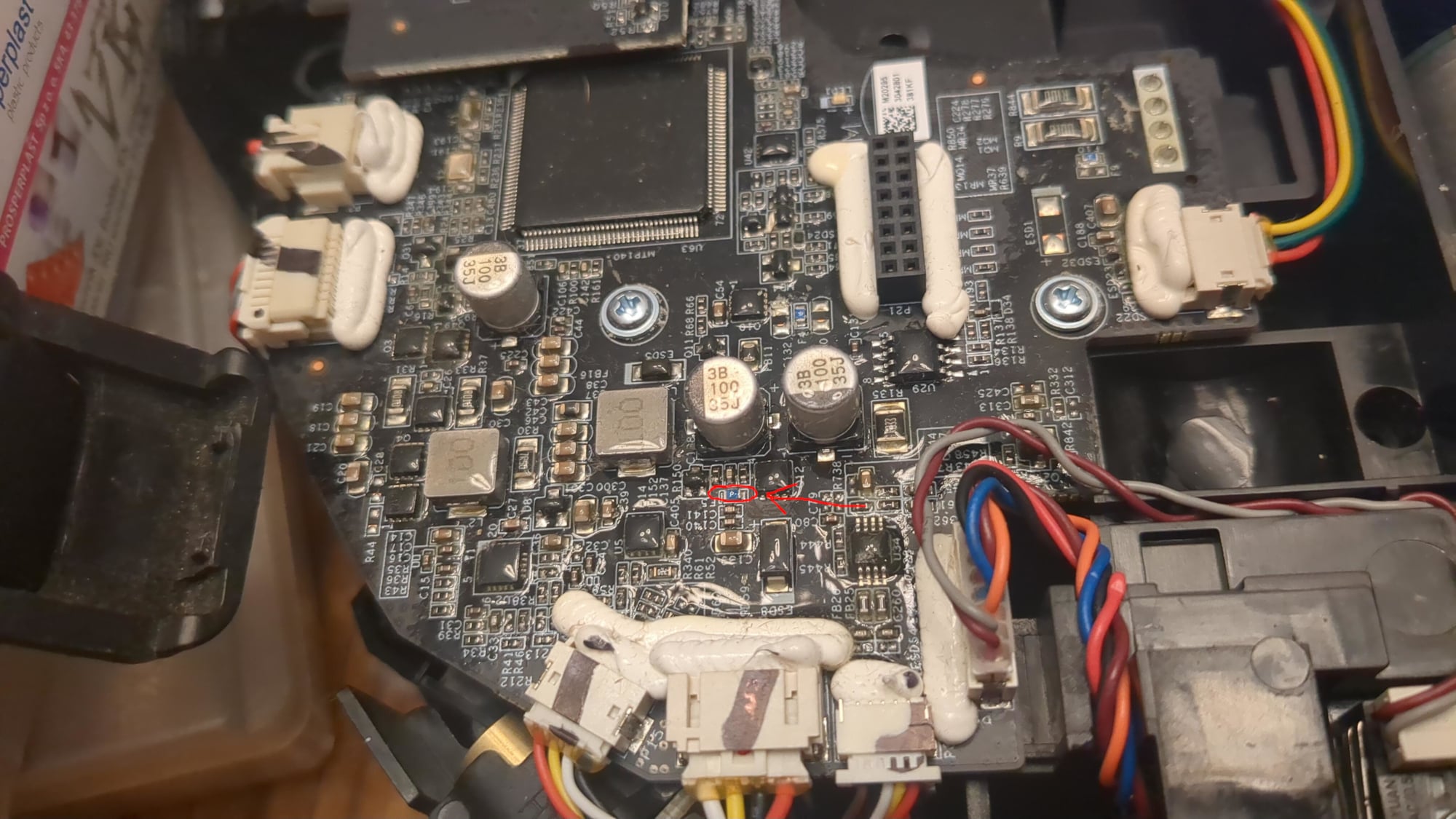
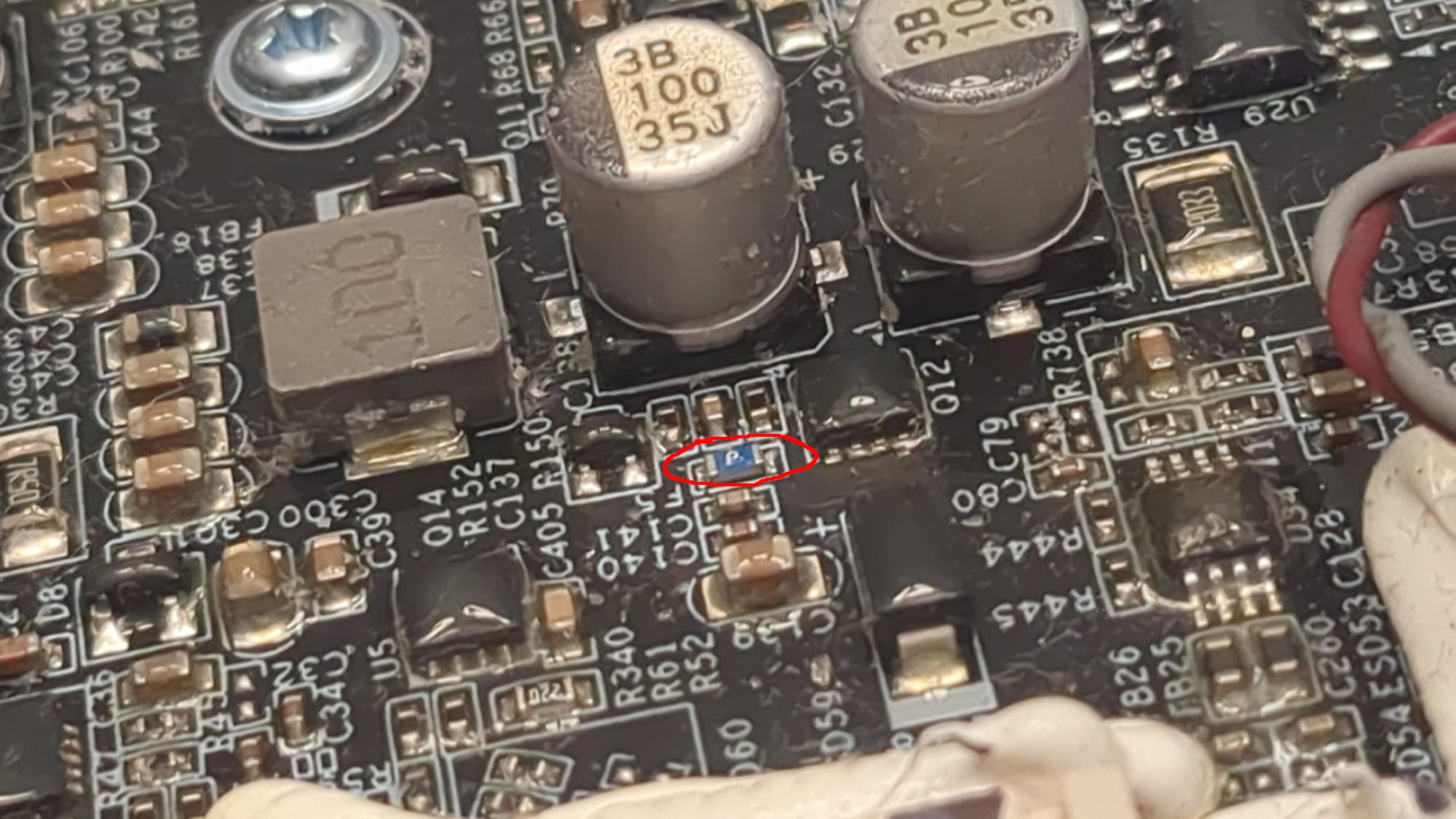
I checked the fuse that someone had pointed out on another forum, and it was blown with no continuity. The fuse on the board is blue and marked F5.
I bought the following fuse: SMD 0603 1.5A/63V (H) /4708. A 32V one would also have been enough, but I could not find one.
I desoldered the old one. I first tried with hot air, but that did not work, and in the end I managed it with a soldering iron. You need to be careful, because there are many even smaller components right next to the fuse.
After soldering in the new fuse, the robot works perfectly.
I am writing this after a full house cleaning cycle.
I am attaching photos where the fuse on the board is visible.
One more thing: I have Valetudo installed and highly recommend it. I have been using it for over a year, and my data is not being sent to China.
Soldering
Soldering is not as hard as it might look. I used PINECIL soldering iron and a lot of soldering flux. Do not even try to desolder and solder without it!
After removing the old fuse, apply flux to the solder pads and use a heated soldering iron to put a small amount of solder on each of them. Then place the new fuse in position with tweezers and heat both ends one after the other. Do not do this for too long, to avoid overheating.
If you are not experienced, practice first on some old, disposable electronics.
Good lighting and a magnifying glass are very helpful for this kind of work.